
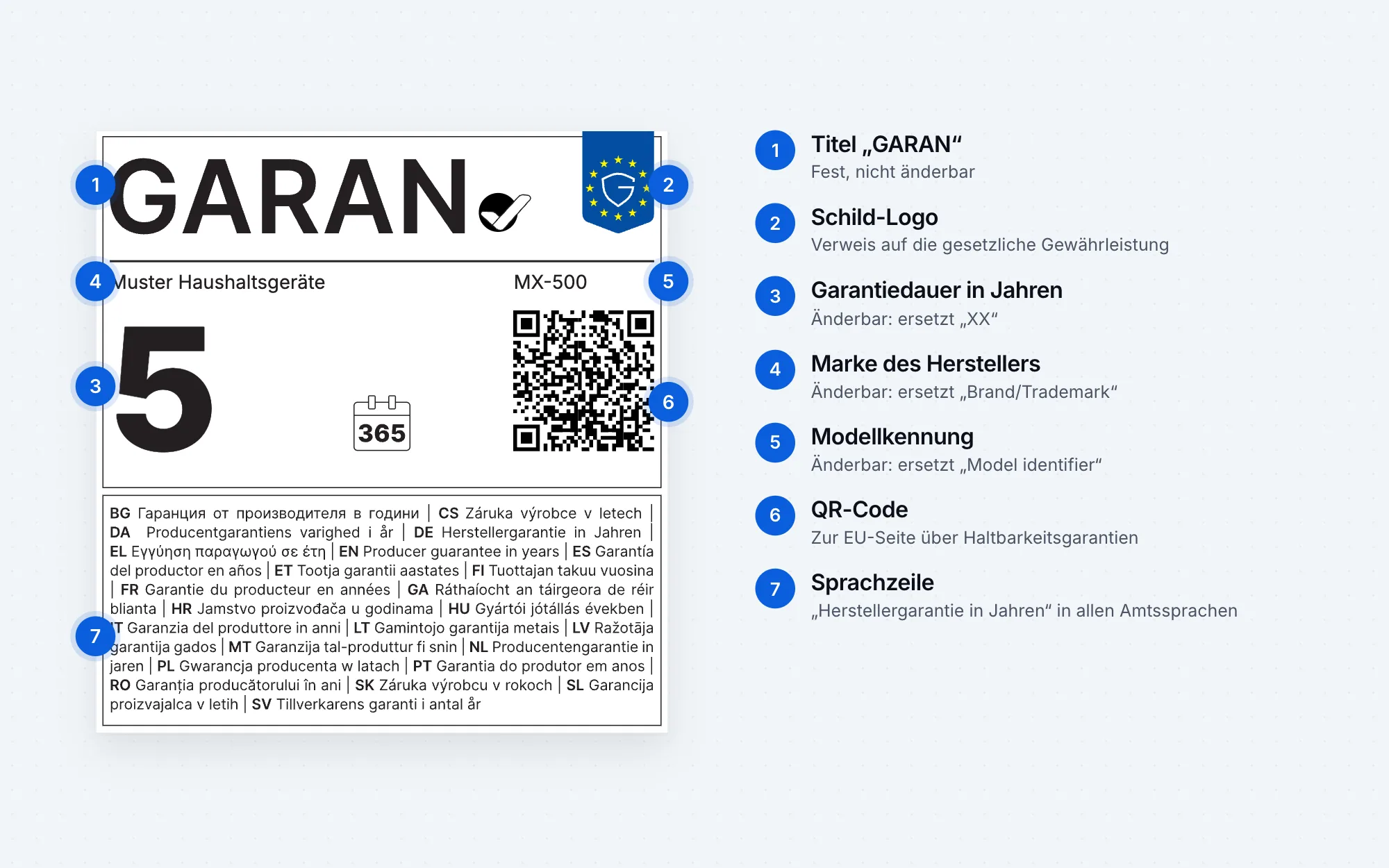
The GARAN label is the EU label for a producer’s voluntary commercial guarantee of durability. Since 27 September 2026, traders must show it when the producer guarantees the entire good for more than two years at no extra cost and makes that information available to them. Only three fields can be edited: years, brand and model identifier.
The official name of the GARAN label is the “harmonised label for the commercial guarantee of durability”. Traders also call it the guarantee label, EU guarantee label or durability label. It sits alongside the legal guarantee notice but does not replace it: the legal guarantee notice applies to all goods, the GARAN label only to goods with a particular kind of producer guarantee.
What does the GARAN label look like?
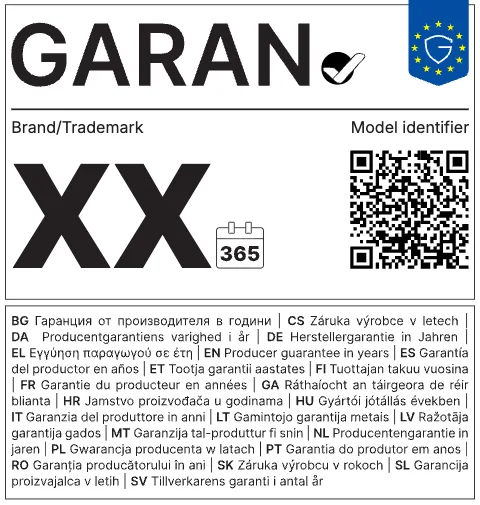
The label is in portrait format with the word “GARAN” and a tick mark, a calendar symbol with the number of guarantee years, fields for brand and model, a QR code and the line “producer guarantee in years” in all official EU languages. Because this line contains every language, there is only one version for the whole EU.

When is the GARAN label mandatory?
Only when all five conditions are met together (Art. 6(1)(la) of the Consumer Rights Directive, as amended by Directive (EU) 2024/825):
- The guarantee comes from the producer.
A guarantee from the trader does not trigger the label. - It costs nothing extra.
Paid guarantee extensions do not count. - It covers the entire good.
A guarantee only on the motor or the battery is not enough. - It runs for more than two years.
Exactly two years is not enough; two years and one day is. - The producer makes the information available to you.
You do not have to go looking for it. Under recital 26 of Directive 2024/825, traders should not be required to search producer websites for guarantees.
If even one condition is missing, the GARAN label is not mandatory. In that case it must not be used either: the Commission’s guidelines reserve it exclusively for this type of guarantee.
| Example | GARAN label? |
|---|---|
| Producer gives a free 5-year guarantee on the entire washing machine | Yes |
| Producer gives a 10-year guarantee, but only on the motor | No not the entire good |
| Producer gives 3 years if the customer pays €49 | No not free of charge |
| Trader gives its own 3-year guarantee | No not from the producer |
| Producer gives exactly 2 years | No not more than two years |
| Producer gives 5 years but never told the trader | No obligation for the trader |
Two cases are still open: unlimited or “lifetime” guarantees (the label only knows years) and guarantees for which customers first have to register. The regulation does not say whether registration counts as an “additional cost”. Legal advice is worthwhile here.
What can you change on the GARAN label?
Exactly three fields, no more (Annex II, note 1 of Regulation 2025/1960):
| Element | Editable? |
|---|---|
| “XX”: guarantee period in years | Yes whole or half years |
| “Brand/Trademark”: name of the producer offering the guarantee | Yes |
| “Model identifier”: the model covered | Yes |
| Title “GARAN” with tick mark | No |
| Shield logo as a reminder of the legal guarantee | No |
| QR code to the EU page on guarantees of durability | No |
| Calendar symbol and language line | No |
The font is fixed: Inter, also in the three editable fields. Online the label must be in colour. In print it is at least 95 × 100 millimetres.
Who fills in the fields? According to the Commission’s guidelines, the producer. The regulation itself is silent on this and does not prohibit the trader from doing it. In practice, the producer supplies the details and the trader inserts them. That is exactly how our app works: you enter the producer once, and the app creates the label for each product from it, using only the three permitted fields.
Where must the GARAN label appear in an online shop?
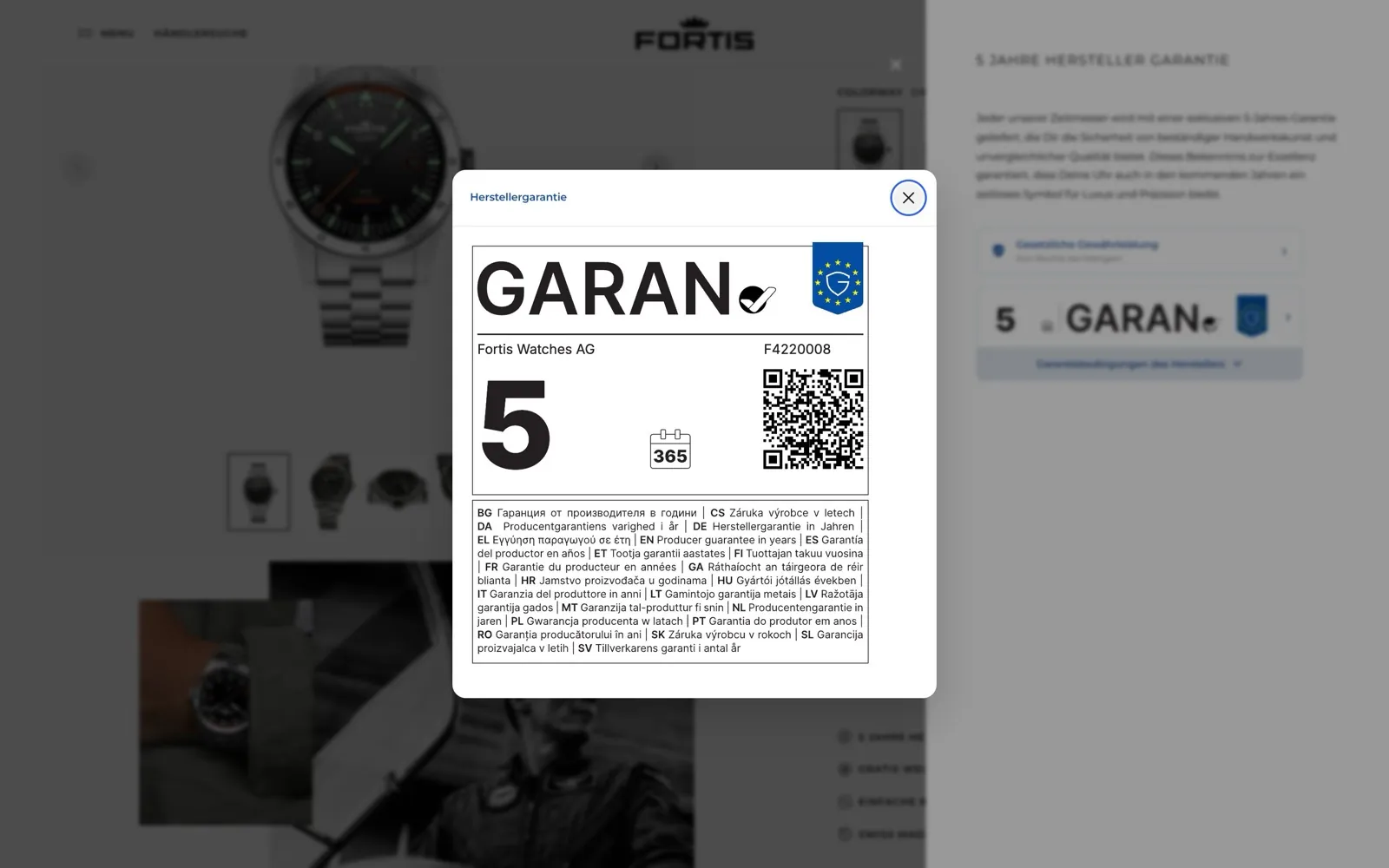
In two places:
- Right next to the product. For online sales, recital 28 of the directive gives the example “directly next to the picture of the good”, so it is clear which product has the guarantee.
- Directly before the order. Unlike the legal guarantee notice, the GARAN information is on the list in Art. 8(2) of the Consumer Rights Directive. The trader must make the consumer aware of it in a clear and prominent manner directly before the consumer places the order. In Germany, the explanatory memorandum on the “button solution” reads this as the final order page, close to the order button; information earlier in the ordering process is not enough there.
The Commission also recommends including the label in the order confirmation. Online, the nested version may be used as long as it opens in full on the first click, mouse-over or tap. More on this under placement.
Does the GARAN label replace the guarantee statement?
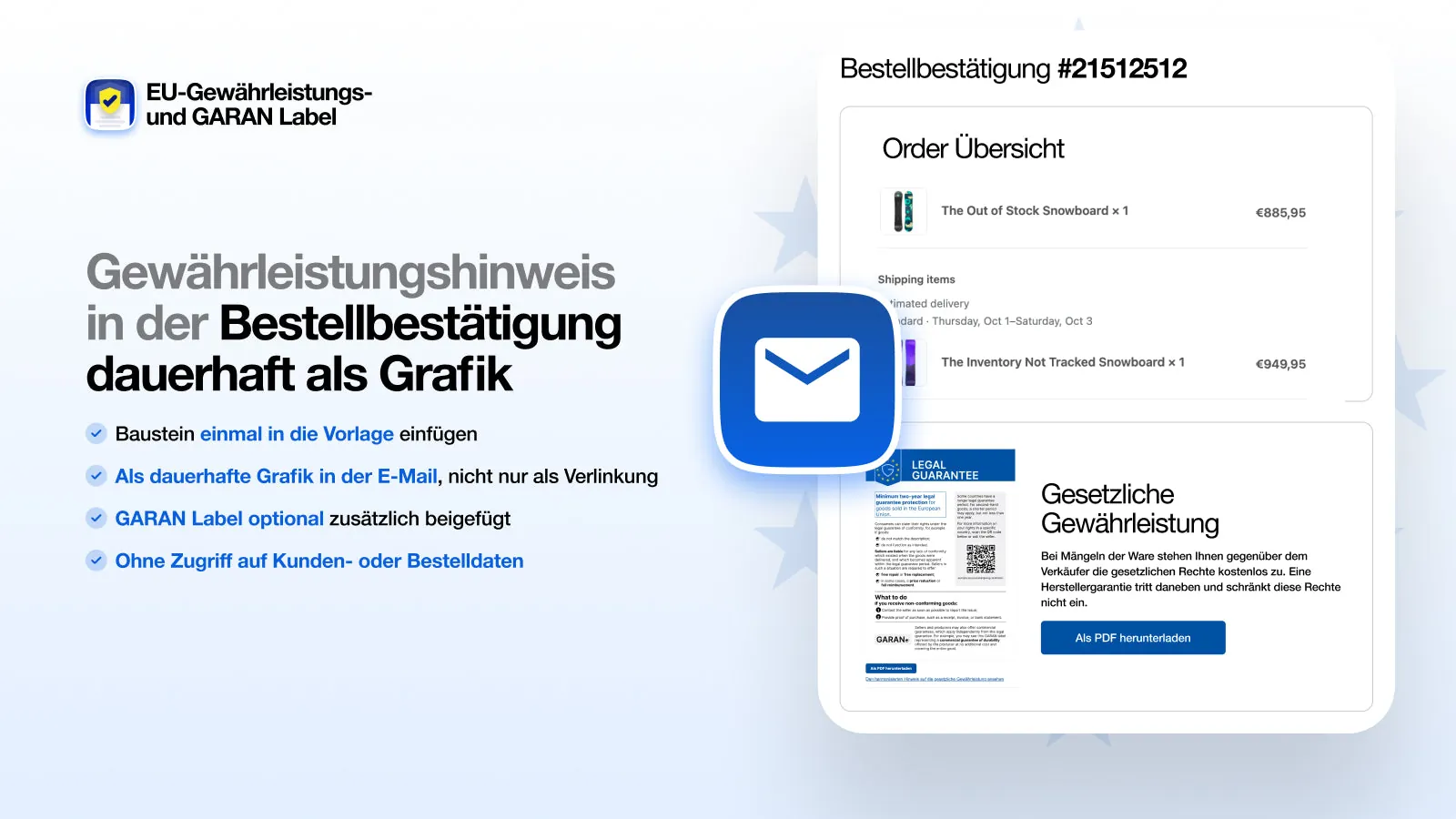
No. The commercial guarantee statement under Art. 17(2) of the Sale of Goods Directive (EU) 2019/771 remains mandatory in addition. It must be provided on a durable medium at the latest on delivery, for example as an e-mail or PDF. It must contain:
- a clear statement that the consumer is entitled by law to remedies from the seller free of charge and that these are not affected by the guarantee,
- the name and address of the guarantor,
- the procedure customers follow to claim under the guarantee,
- the goods to which the guarantee applies,
- the terms of the guarantee, such as its duration and territorial scope.
Our app sets out the details of the producer guarantee as the producer gives them to you and adds them to the Shopify order confirmation, but only for orders that contain a product with a guarantee. How it works.
How does the GARAN label differ from the legal guarantee notice?
The legal guarantee notice reminds customers of a right that always applies and is directed at the seller. The GARAN label shows a voluntary promise by the producer, who is directly liable to the customer for it. The regulation calls them “two independent types of guarantees”. A detailed comparison is under Legal guarantee or commercial guarantee.
Adding the GARAN label to Shopify
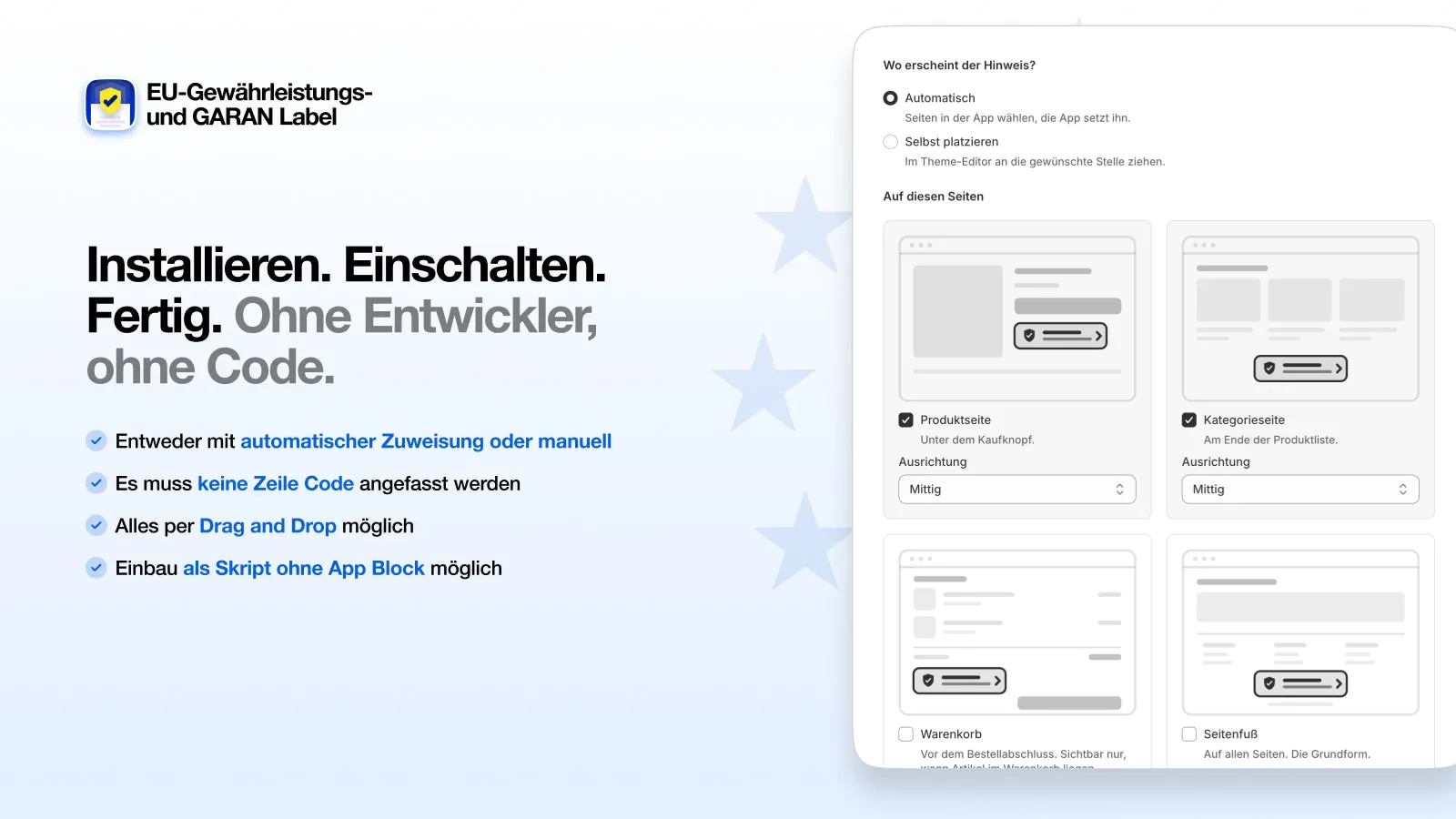
Some shop systems now include the labels themselves, for example Gambio from version 26.09.0; Shopify does not. For Shopify there are apps, including ours. This is how it works:
- Add the producer
Enter name, address, guarantee period and terms once. - Assign products
Individually or in bulk. If you like, the app takes the model identifier from the SKU or the product title. - Done
Each product page shows its own GARAN label, and the order confirmation the matching guarantee statement. All labels are also available as a ZIP file, for example for sales partners.
View the app in the Shopify App Store
Create a GARAN label without Shopify
You don’t sell on Shopify, or you need labels for packaging, manuals and your physical shop? Our GARAN label generator creates the label from years, brand and model, with the same engine as the app: as SVG, PNG and print PDF at the minimum size of 95 × 100 mm. Many products can be handled by CSV upload, and inventory systems can connect to the API. Single labels are free, no sign-up.
As of 3 October 2026, based on the official texts. This page is not legal advice.
Frequently asked questions
What does GARAN mean?
GARAN is the fixed title of the harmonised label for commercial guarantees of durability under Annex II of Implementing Regulation (EU) 2025/1960. The name is the same in all languages, so the label is recognised throughout the EU.
Do I need the GARAN label for a trader’s guarantee?
No. The GARAN label is only intended for the producer’s guarantee of durability. A trader’s own guarantee does not get a GARAN label, even if it runs for more than two years.
Is the GARAN label available in different languages?
No, there is only one version. It contains the line “producer guarantee in years” in all official EU languages; the rest is language-neutral.
Must the GARAN label appear in the cart?
The GARAN information must be shown in a clear and prominent manner directly before the consumer places the order (Art. 8(2) of the Consumer Rights Directive). In Germany, the explanatory memorandum reads this as the final order page near the order button, and the cart alone is likely not enough there. On Shopify, the checkout can only be customised with Shopify Plus.
Where can I find a GARAN label generator?
The Commission provides the template, which you fill in with years, brand and model. On Shopify, our app creates the labels for each product automatically and shows them in the shop. To the Shopify app
May I use the GARAN label in advertising?
Yes, but only for products that are actually covered. According to the Commission’s guidelines, where several products are shown, it must not give the impression that all of them have the guarantee.